Lab 1 - Descriptive Statistics in R - Part I
Week 2, Lecture 4
Take Away Messages From Last Week
How to Create An Object
We create an object by using “<-” called as “Object Assignment Operator”
| Windows | Mac | |
|---|---|---|
| Shortcut | Alt and - | Option and - |
Vocabulary Section
do() is a function;
something is the argument of the function.
do() is a function;
something is the first argument of the function;
colorful is the second argument of the function.
R ignores comments if you put # like above
I love Dr. Dogucu’s teaching strategy to teach students the basics of coding. This is how she explains the idea of coding. I am using some of her strategies during this session.
Before Proceeding Further…
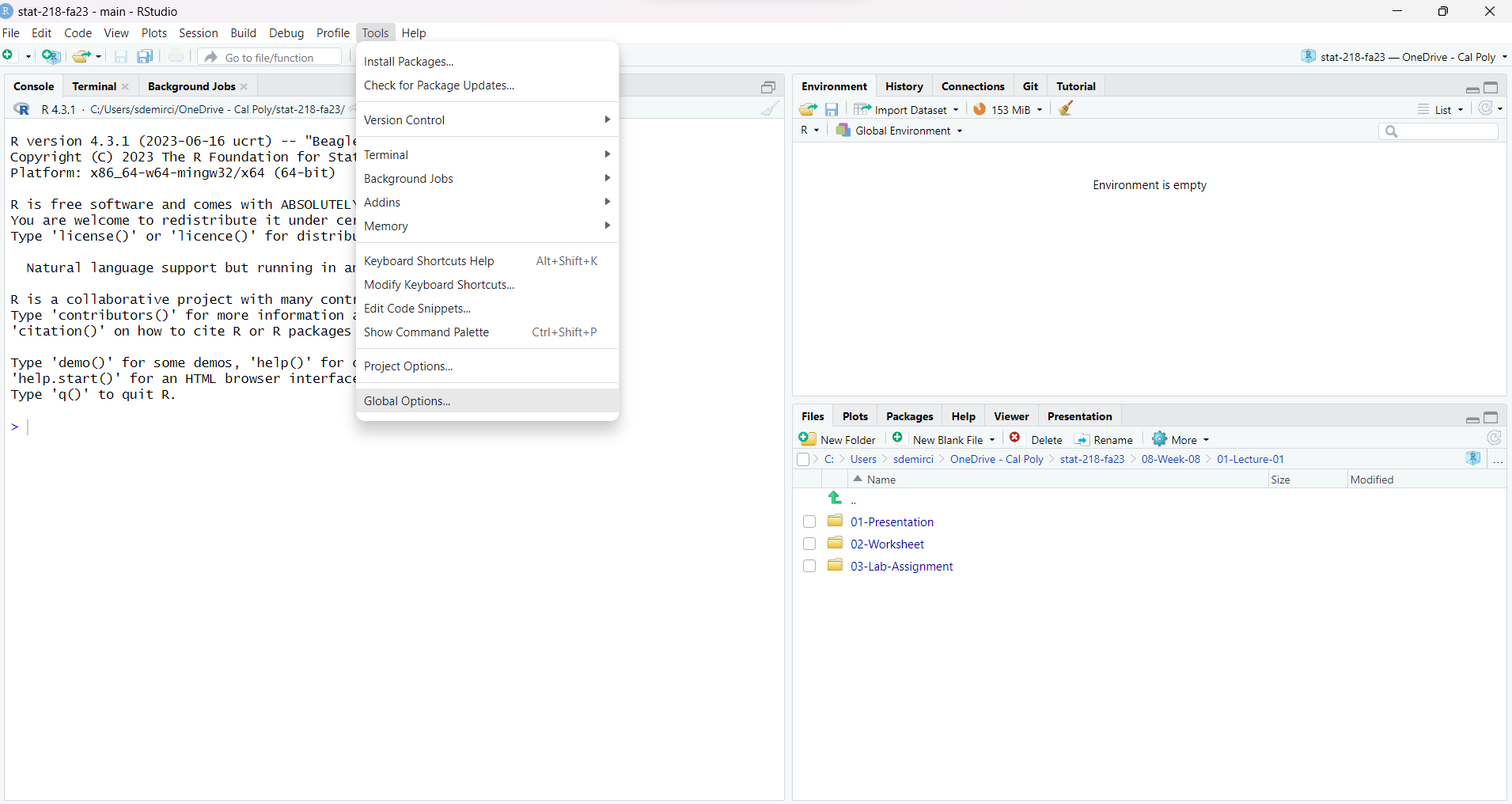
Before Proceeding Further…
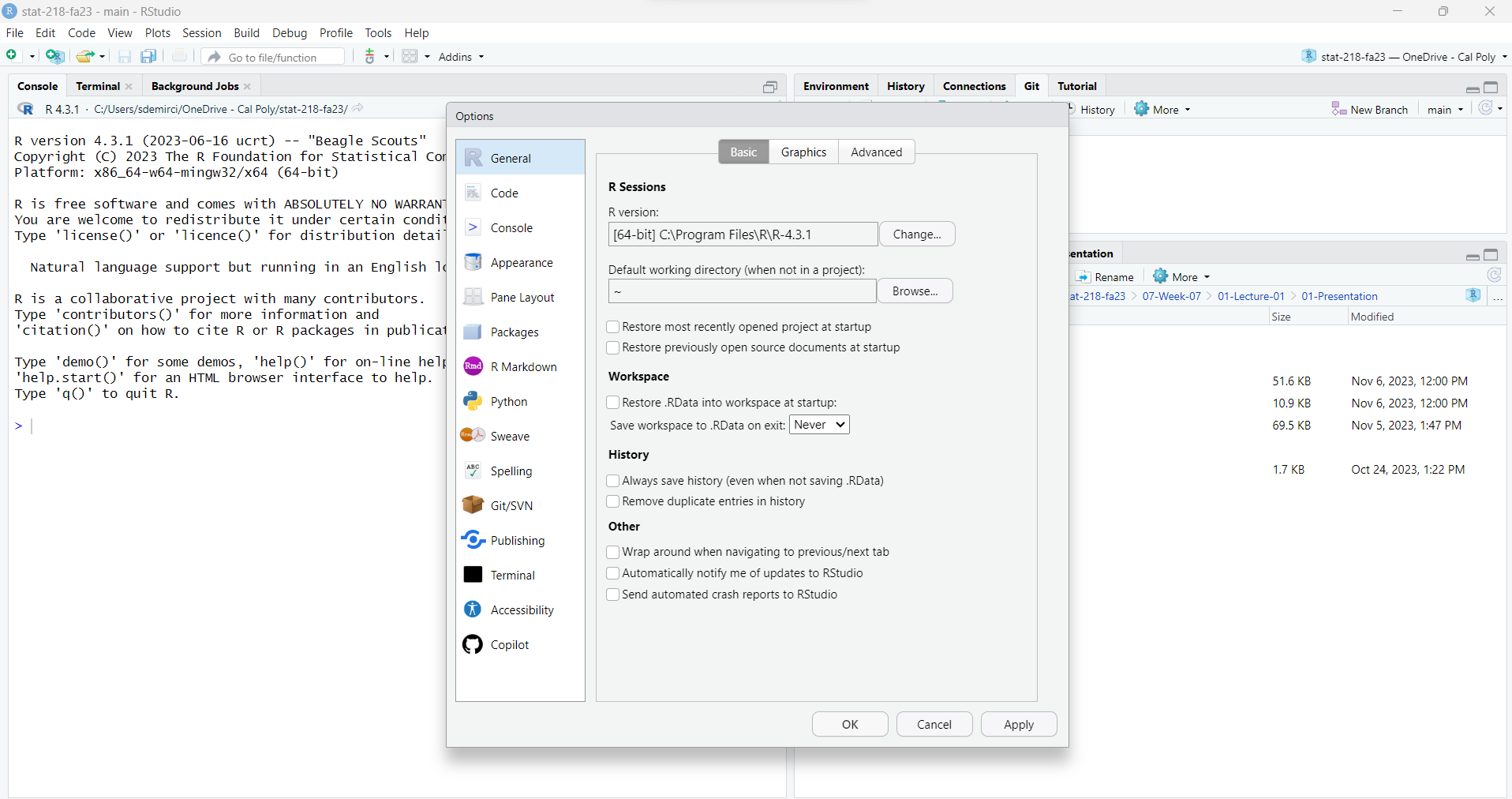
Today’s Menu
Today we will cover:
- more functions in R
- How to Install Packages
- Loading Data into R
- Summary Statistics
ggplot()
A Quick note
Next slides are just for demonstration purposes. Please do not code, just watch my demo.
After that, you will start working with your group members.
You may not finish your first lab assignment today but you have time until Sunday midnight.
How Can I Install a Package and Use It?
R users can create/contribute packages, and they are free!
For this lab, and many others in the future, we will use:
- The
tidyverse“umbrella” package which has many different R packages for data wrangling and data visualization - The
openintroR package is our second textbook’s package and we will use this for our lab sessions. - Let’s download them!
- The
The Library Function in R
The library() function in R is like opening a toolbox. Each toolbox (library) contains tools (packages) for specific tasks.
When you use the library() function, you’re telling R to open a specific toolbox (load a package) so that you can access and use the tools inside.
Let’s add a code chunk to our Quarto document and type the code below.
How to Load Data into R
We have two different ways to do that (within the scope of this class)
- Using an available dataset stored in R (packages) (today)
- Importing a dataset from an outside source
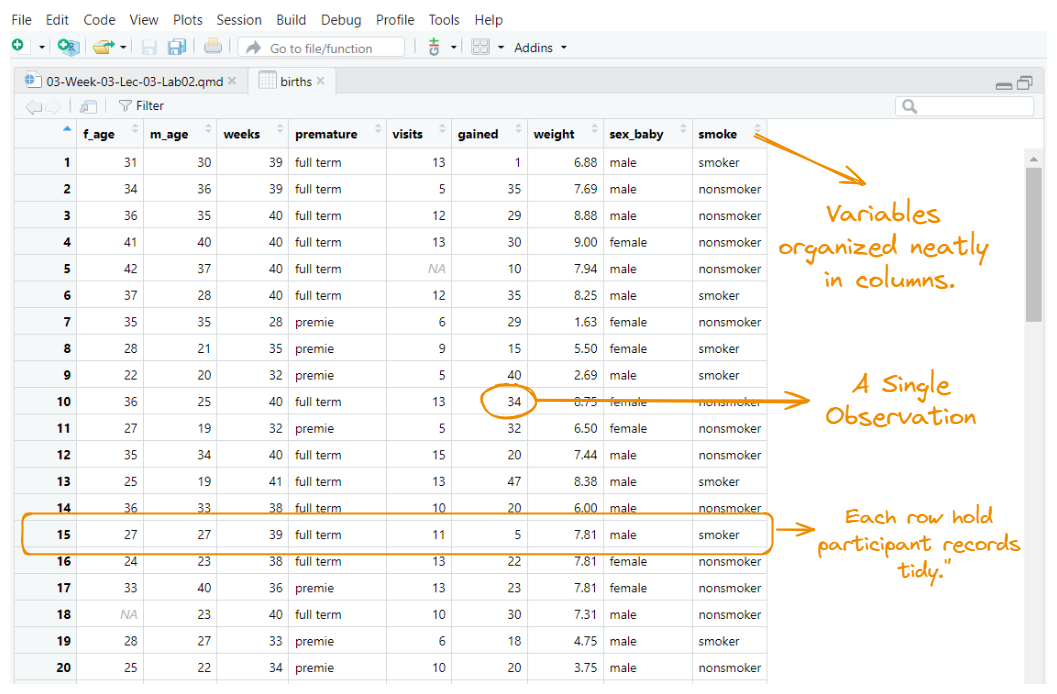
Getting to Know Your Data
After importing our data, it is important to familiarize with our data. We have some functions to do that.
Let’s start with glimpse() function. The name of this function is self-explanatory.
glimpse() function gives us a brief information about out data set. We have 9 variables and 150 cases or observations.
Getting to Know Your Data
Alternatively, we can ask R the number of columns (variables) and rows (cases) as following:
[1] 9[1] 150Assume that I would like to see just the names of the variables in my data set. I can use names()function for this.
Frequency Distribution Table (An Ugly One!)
Measures of Central Tendency
We can calculate measures of central tendency by using these unsurprising functions.
Pay attention to the $ sign.
Measures of Dispersion
Measures of Central Tendency
Alternatively, you can use summarize() function for the same calculations.
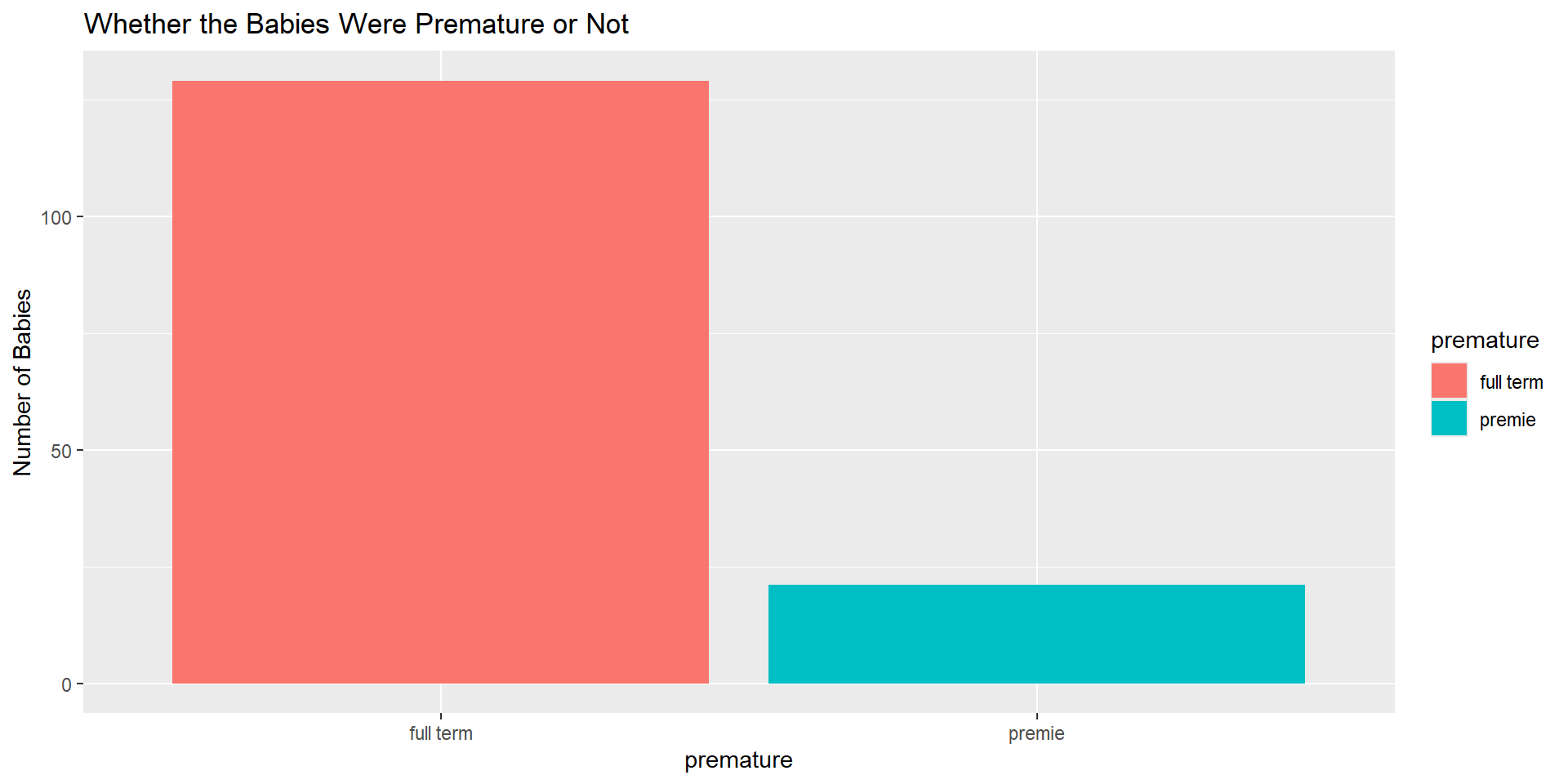
An Example for Bar Chart
Let’s plot a simple bar chart. Next session, we will explore other features for ggplot().
An Example for Bar Chart
Let’s plot a simple bar chart. Next session, we will explore other features for ggplot().
HOW CAN YOU STUDY WITH YOUR GROUP MEMBERS?
A SUGGESTION
To ensure the group’s work is divided equitably each week, your team will be rotating through a set of group roles. This ensures one person doesn’t act as the group leader for multiple sessions of class, while someone else is always the note taker. You will circulate through the following roles each week:
Project Manager:
- Coordinate the group’s activities, ensuring tasks are assigned and deadlines are met.
- Facilitate communication within the group and with the instructor.
- Ensure the final assignment is compiled and submit it.
Note Taker:
- Responsible for interpreting and documenting the outputs generated from R scripts/codes.
- Take notes on key findings, insights, and interpretations derived from the data and analyses.
Coder:
- Lead the coding efforts, writing and managing the R scripts.
- Ensure code quality, functionality, and documentation standards are met.
A SUGGESTION
If you work in pairs, skip the project manager role ans switch coding/note-taking every week.
Note takers should either take notes to a paper or a Word document and add them later to the quarto document once coding part finished.
Today’s Quarto Document
Tip
- Let’s download today’s Quarto document from Canvas under the LAB Assignment 1 (GROUP) titled as
02-Lab-Assignment-01.qmd - DO NOT FORGET to save it to your STAT 218 Folder!
How to Complete Lab Assignment 1
Just go back and follow this slide show from the beginning of Slide 10.
You will be mainly changing the name of the data set and variables.
Call me over if you have any questions.